10,000 Slides by Christa and Fritz Lindner
2025 / 2026 © Thomas GadePage 2 / back to page 1

Numerous slides from many journeys
The acquisition of an extensive collection of 35mm slides from the estate of the late Christa and Fritz Lindner provides an opportunity to describe the steps involved in processing photographic collections of this kind, with the aim of making the cataloguing process more efficient and avoiding unnecessary expenditure of time.
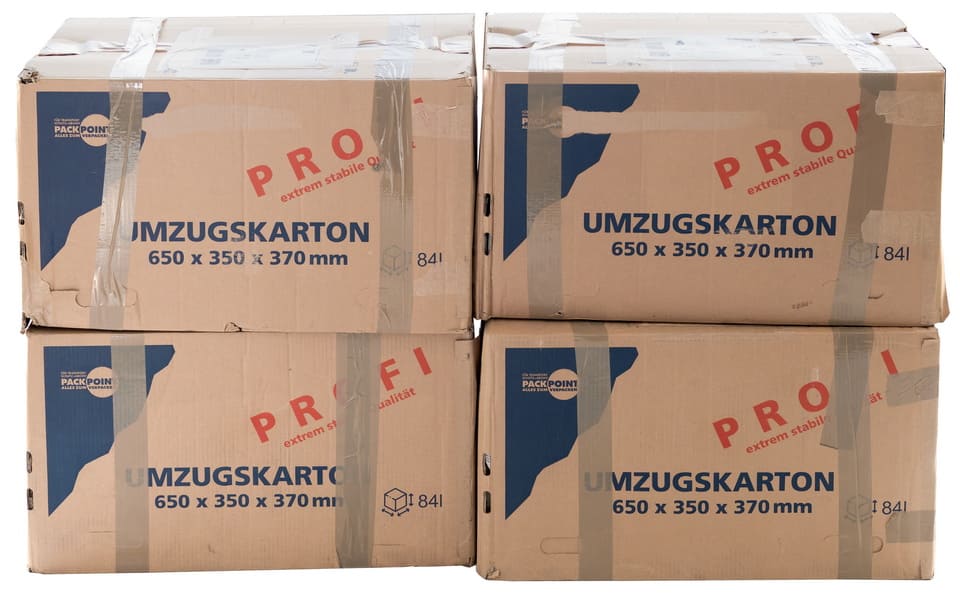
Transport of the photographic estate by a parcel delivery service in four moving boxes
The estate comprises 54 slide boxes, each containing two magazines holding either 50 or 80 slides, 13 larger cardboard boxes and a wooden case filled with boxes of mounted slides. In addition, there are eleven film-processing envelopes containing developed and mounted slides. The entire collection was transported in four fully packed moving boxes with a combined weight of 80 kg. An initial inspection suggests a total of approximately 10,000 to 12,000 slides. Despite its size, the collection takes up relatively little space and weighs comparatively little, as the photographers preferred thin slide mounts without glass. This makes handling considerably easier. In particular, there is no need for the laborious process of removing slides from their mounts to eliminate Newton rings, internal haze or trapped dust before scanning. The slides had been stored in closed containers in clean, dry conditions, which explains their excellent state of preservation. There were presumably also photo albums, negatives and photographic prints, but their whereabouts are unknown.
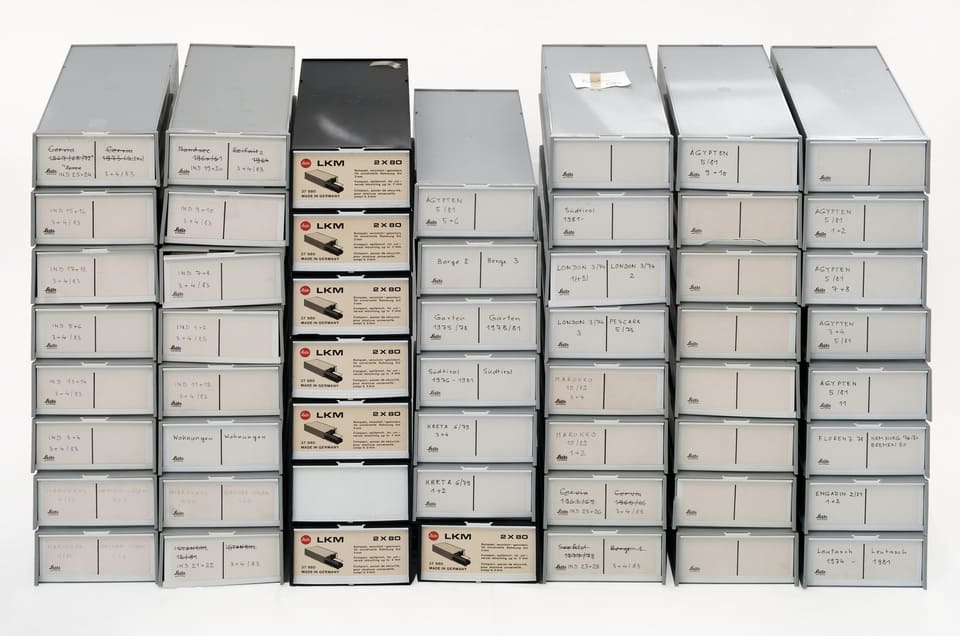
54 boxes, each containing two slide magazines

Many slides were stored in boxes supplied by the Kodak photo laboratory. They had been sorted by subject into cardboard boxes, which were also labelled. The descriptions are brief but coherent.
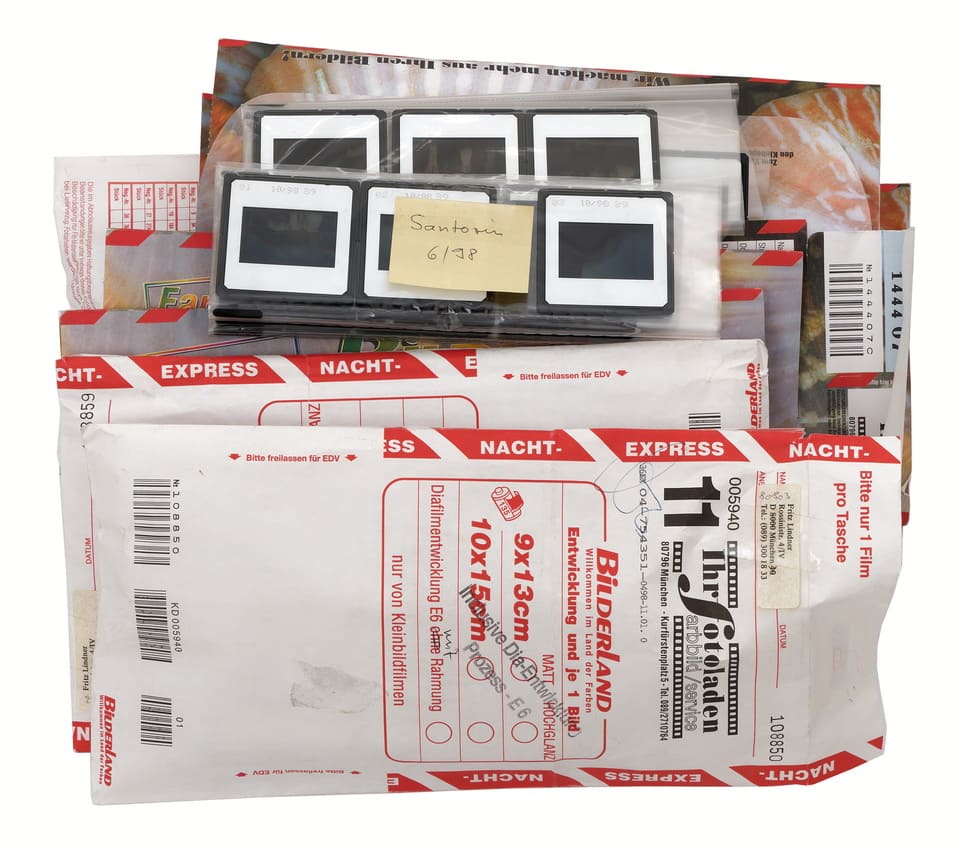
Eleven film-processing envelopes containing mounted slides. The films were not developed until 2000, although the photographs date from earlier years. The films may have remained in the camera bags used with the older SLR cameras, perhaps because they had not yet been fully exposed. This could explain why the slides were not stored in magazines or small plastic boxes like the older ones.
Organisation and Labelling
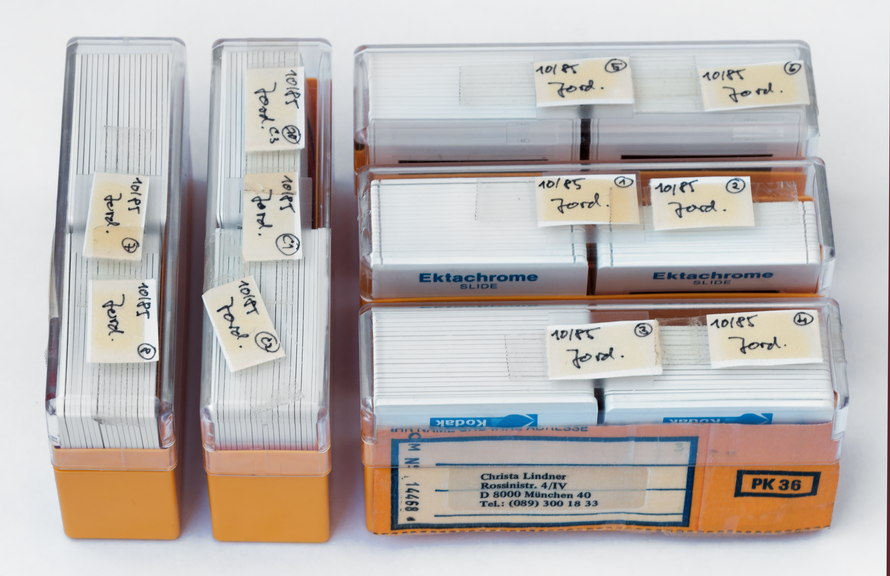
The slide boxes are labelled, for example, with entries such as "10/85 Jordanien" (October 1985, Jordan). This makes it possible to assign the photographs to specific months, years and countries. Some boxes and slide cases bear codes such as "F1" or "C4", which presumably identify Christa or Fritz as the photographer, together with the corresponding film number. One of the boxes contained a notebook with handwritten notes and pasted-in printed information about the individual days of various trips. This discovery suggests that the couple took part in organised group tours. Further photographic series support this assumption, showing tour buses and meals shared with other travellers.
Documentation: The Foundation of Archiving
Careful documentation is essential. The receipt of a photographic collection should be recorded, including the date and its provenance. A separate directory should be created for each collection, with all related correspondence also stored digitally. It is advisable to photograph the packages immediately upon arrival and their contents after unpacking. During subsequent processing, all containers, notes and labels should also be photographed or scanned. The files must be given unique, descriptive names so that they can be reliably associated with the corresponding photographic series. This also applies to small notes, film-processing envelopes and handwritten annotations. In this way, the original information is preserved even after the collection has been reduced or repackaged. This is an important step towards proper archiving, as it is the only way to ensure that the provenance and history of the photographs remain traceable.
Reviewing and Selecting the Slides
After documentation comes the task of reviewing the slides and selecting those that are to be preserved permanently. The aim is to discard less successful photographs and thereby reduce the size of the collection. This also reduces the effort required for subsequent processing. Unlike negatives, with their reversed tonal values, slides are pleasantly straightforward to assess. The Osram Diastar 200 slide viewer with its slide-changing mechanism is a practical tool for this purpose. It can be purchased second-hand for around €20. It projects a 35mm slide onto an image area measuring 13.2 × 19.5 cm, allowing the photograph to be assessed quickly.
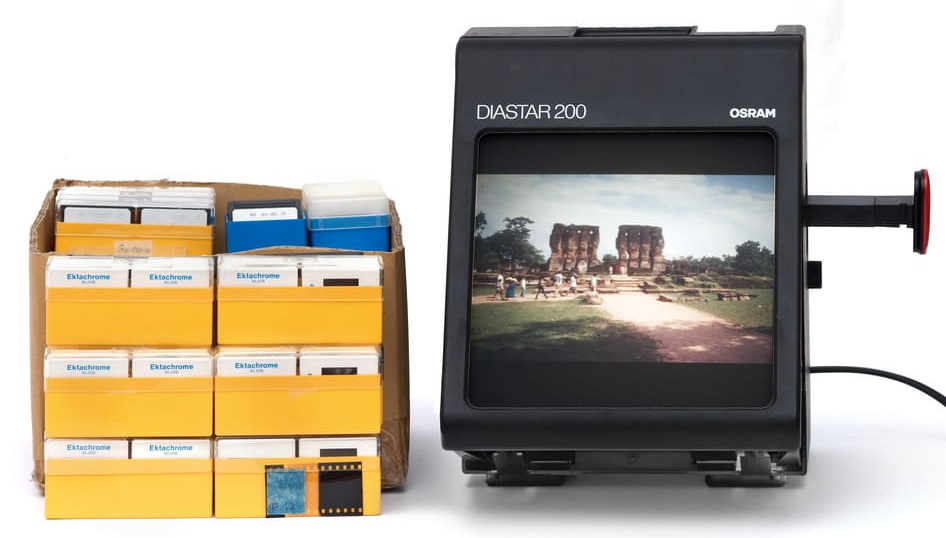
Osram Diastar 200. A useful tool for reviewing mounted 35mm slides.
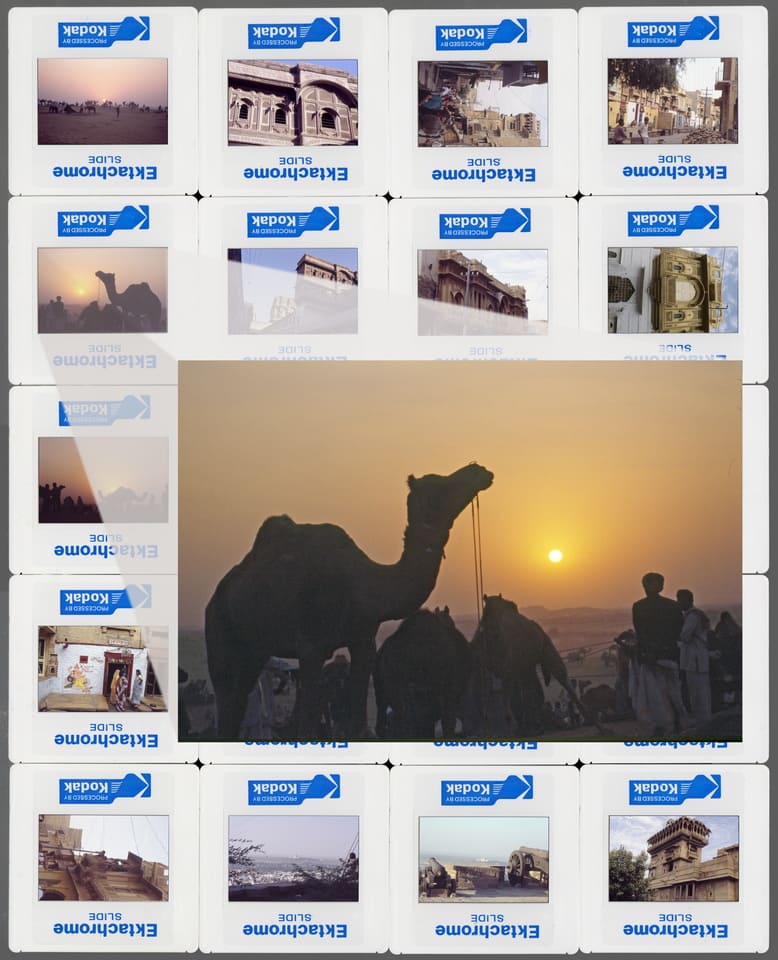
Slides on a light table. Something that may initially confuse beginners: the lettering on the slide mounts is upside down. In addition, the slides appear laterally reversed. If there are no recognisable numbers or letters, this is not immediately obvious. However, there is a practical reason for this arrangement: the reverse side of the slide mounts is unprinted and provides space for personal notes. There are no such annotations in this collection, however. In the larger image, the Indian dromedary camel photographed at sunset has been horizontally flipped to show the correct orientation.
Selection Criteria
Selection is based on the subject matter and aesthetic value of the photographs. These depend largely on the photographers' abilities and the conditions under which the pictures were taken. Ancient ruins and well-known landmarks have often already been documented to a high standard by archaeologists or institutions. Such photographs are also widely available online. Amateur photographs of the same subjects therefore often offer little additional documentary value. Many travellers follow similar routes and photograph the same places, which often change very little over the years. From the perspective of a shared photographic heritage, this results in numerous redundant images. If an amateur photographer takes, for example, 100 pictures of a particular landmark, but only ten stand out in terms of composition, lighting or technical quality, the remaining 90 can be discarded. Blurry or technically poor photographs are generally of little value. An exception is made for images in which blur is deliberately used as a creative device. This is rarely the case with ordinary travel photography.
Even talented photographers have their good and less successful periods. Someone who has produced impressive travel photographs over several decades may well lose some of their photographic skills in later life. Photographs taken from a moving tour bus, for example during a trip through the Spreewald, are often so poorly executed when taken with a basic camera that they have little lasting value. The same applies to analogue photographs of plants and animals, such as those taken in an allotment garden. Modern smartphones often produce better results today. Sentimental photographs, such as pictures of pets, are also usually of little value unless they serve a documentary purpose. The same applies to macro photographs, for example of insects. An ordinary European garden spider can now be photographed digitally using focus stacking, producing considerably better results. Analogue insect photographs taken by a biologist may well retain lasting value as scientific records or educational material. However, numerous pictures of bumblebees or butterflies on flowers in an amateur photographer's garden usually do not. In such cases, it is best to keep only the particularly successful photographs.
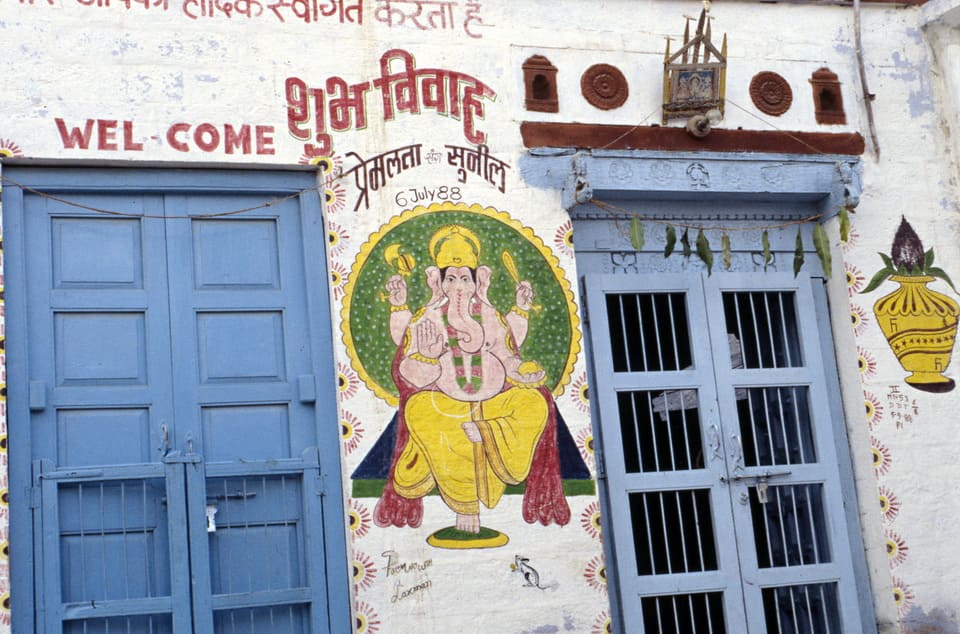
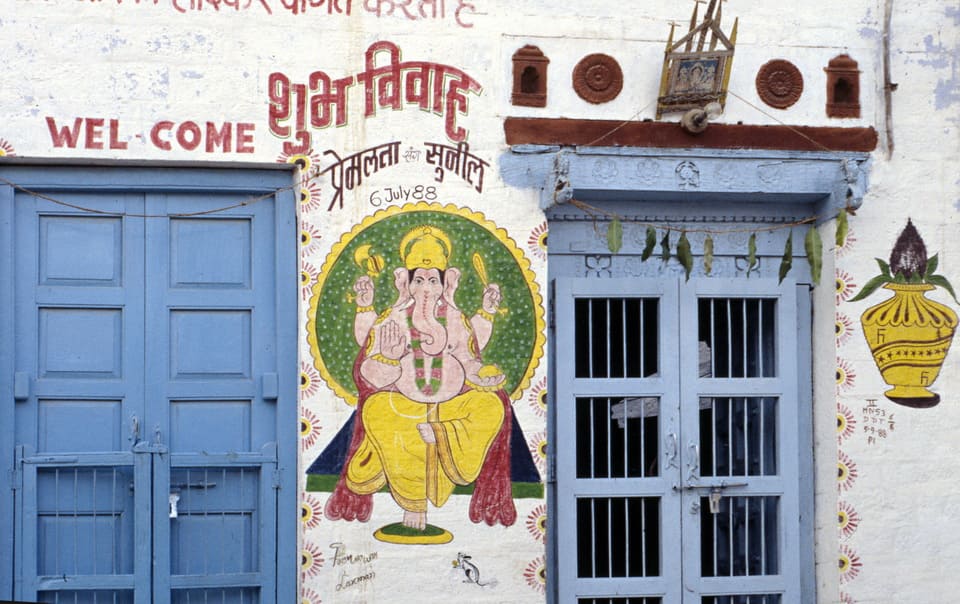
But is the effort worthwhile? If you have 1,000 photographs, each requiring five minutes of editing, the total time adds up to approximately 83 hours. Considerations such as these illustrate why consistent selection is essential if the cataloguing of an extensive photographic estate is to remain manageable within a realistic time frame.
How Should You Sort Out the Slides?

A two-stage process has proved effective. During the first pass, obviously poor photographs are quickly discarded. A second round of selection follows, this time with a better overview of the entire collection. This work should be carried out as soon as possible after taking over the estate in order to reduce its size at an early stage. Do not try to keep too many photographs! Otherwise, you will waste a great deal of time. In extensive collections belonging to ambitious amateur photographers, often only 10 to 50 per cent of the photographs are worth preserving. Consistently discarding poor or redundant images is the key to efficient archiving. At the same time, it reduces the amount of storage space required for the original material.
Digitising Slides with the Nikon LS-2000 and a Dell Latitude D830

Nikon LS-2000 film scanner connected to a Dell Latitude D830 – outdated scanning technology, but still perfectly suited to handling the many stacks of mounted slides. All the slides were mounted, mostly in thin Kodak plastic mounts designed for Ektachrome film. The SF-200 automatic slide feeder transported these mounts very reliably. Out of approximately 4,800 slides, the feeder jammed only three times because the changing mechanism failed to operate correctly.
The Nikon LS-2000 film scanner was introduced in 1999 and connects to a computer via a SCSI interface. Its nominal resolution of 2,700 dpi is relatively low by today's standards, but entirely adequate for most photographs. After cleaning the internal mirror and the front lens element, the scanner produced excellent results. A later model, such as the Nikon Coolscan 4000 or 5000, would have offered somewhat better detail resolution for certain photographs. However, when I scanned the Lindners' slides in 2026, these scanners were no longer available to me – I had sold them years earlier.
I had not actually intended to digitise such a large number of photographs ever again. However, in 2025 I was offered an extensive collection of slides from the estate of a deceased couple. Had I not accepted it, the slides would probably have ended up in the rubbish.
Because of the scanner's SCSI connection, I used older Dell laptops, primarily a Dell Latitude D830 from 2009. It was subsequently upgraded with an SSD, which was still relatively uncommon at the time. It already had 4 GB of RAM and the fastest compatible CPU that could run reliably in this machine. A second computer was a Dell Precision M4500 from 2010, equipped with a first-generation Intel Core i7 processor and 8 GB of RAM.
Both machines have slots for PCMCIA and ExpressCard adapters. A SCSI interface could be provided via a PCMCIA slot using an Adaptec adapter dating from the mid-1990s. The ExpressCard adapter provided additional USB 3 ports, which the older laptops themselves did not have.
Windows XP recognised the old PCMCIA SCSI adapter without any problems. Unfortunately, I was unable to find a suitable driver for later 64-bit operating systems. The system would probably also have worked with the 32-bit version of Windows Vista.
In practice, this combination proved extremely reliable: there were no blue screens, frozen systems or crashes. Thanks to the SSD and the additional USB 3 ports, transferring the data to external storage devices was also quick and straightforward.
Page 2 / back to page 1
The content on this website was originally written in German. Only later were longer articles
translated into English to reach a more global audience. Hopefully, the supporting AI didn’t
introduce too many errors in the process. For pages that primarily showcase images, however,
the additional effort of creating duplicate versions in two languages is hardly worthwhile.